
Less improvisation during an interruption
A documented sequence gives owners and staff a shared reference for what to do, who coordinates tasks and what recovery looks like.
Plan for disruption before it becomes downtime. Review backup coverage, recovery priorities and documented response steps for the systems your Bidwill business depends on.
A considered discussion begins with the environment you have today.
Backup & Business Continuity, with clear scope and ownership.

Business continuity is broader than selecting a backup destination. The plan needs to connect the systems staff use each day with the information, infrastructure and access required to restore those functions after an interruption.
vCloud's source service considers on-premises, cloud and hybrid environments, including shared file storage, email and system configuration. Recovery priorities and RPO can then be translated into documented scenarios, testing steps and a defined path back to operation.
The appropriate platform or recovery arrangement depends on the organisation's requirements, existing environment and timing expectations. Those choices should be assessed with the plan rather than assumed from a generic package.
This service connects business priorities with practical recovery work. It is designed around your systems, staff and interruption scenarios, rather than a generic checklist.

Work through interruptions your organisation has experienced and other scenarios that could affect its systems or people.
The review can cover deleted files, server failure, internet or power loss, malware and other cybersecurity-related interruptions, then examine the business impact and desired outcome.Discuss this requirement
Clarify which information and systems need to return first and how much data loss the business can reasonably accept.
Recovery Point Objective is treated as a planning consideration, alongside the practical steps required to restore systems and return staff to their normal functions.Discuss this requirement
Turn the analysis into a documented strategic plan your team can refer to during a business interruption.
The plan can set out responsibilities, coordination, recovery actions and the path to an agreed operating state, so decisions are not improvised under pressure.Discuss this requirement
Test whether backups and documented recovery steps produce the outcome the business expects.
Testing can include restoring files, restoring a complete virtual server and exercising replication or failover scenarios where relevant to the environment. Test findings can be recorded and used to update the plan.Discuss this requirement
Consider the recovery approach across the infrastructure you use today or are planning to adopt.
The source service supports discussion of on-premises, cloud and hybrid networks. The design should account for shared files, email, configurations and other information that may not be covered by an application provider's own service.Discuss this requirement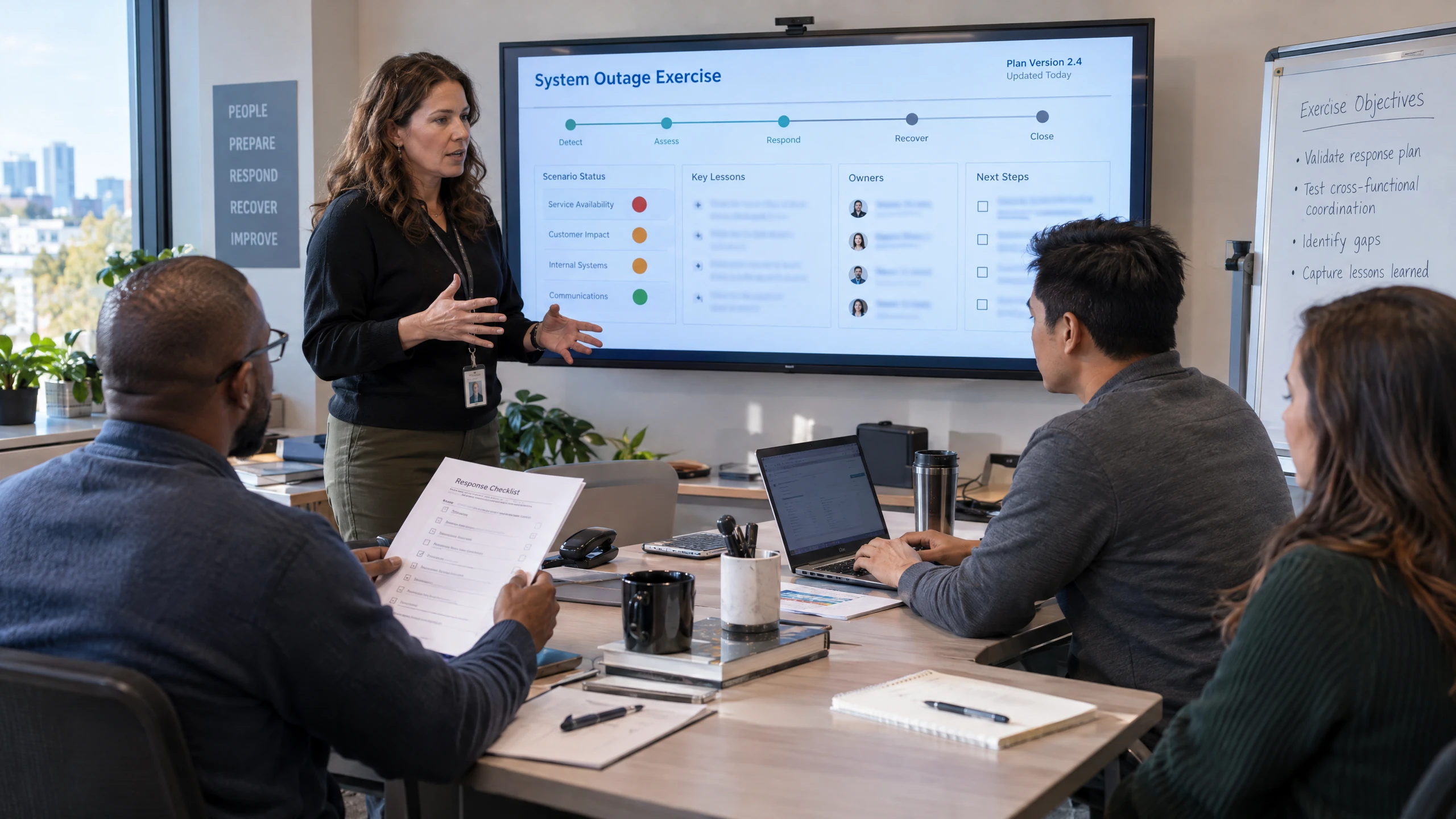
Include the people who use critical systems and keep the documented response useful as the business changes.
Staff can be guided through how to follow and execute test scenarios. New interruption scenarios, system changes and test results provide reasons to review or update the plan.Discuss this requirementYour workplace, systems and operating requirements are the starting point for a useful technology discussion.
This page does not state that vCloud has a local office, a daily local roster or pre-confirmed on-site availability. Suitability and any delivery arrangements are confirmed after reviewing your requirements.
Start with the systems, data and day-to-day processes your people need to keep working. vCloud's Business Continuity+ process reviews interruption history, business systems and possible scenarios before a tailored plan is documented.
Managed IT support helps operate and maintain systems day to day; this service focuses on what happens when an important system, location, connection or process is interrupted. It creates and exercises the recovery method instead of treating each incident as an ad-hoc fix.
Backup alone is not a complete continuity plan. A successful backup still needs a known restoration path, appropriate recovery priorities, people who understand their roles and testing that checks whether the documented process matches the real environment.
Cybersecurity and cloud services may reduce particular risks or provide parts of the infrastructure, but they do not by themselves define how your staff coordinate recovery. The scope, testing cadence, remote or on-site arrangements and any service commitments should be confirmed for your organisation and Bidwill premises.
Remote support for Backup & Business Continuity lets your team discuss service questions and issues without assuming an office visit is needed.
We can discuss remote access, the issue or requirement, and the information needed to investigate it safely.
If hands-on work may be appropriate, on-site feasibility, coverage, timing, scope and access are confirmed before a booking is made.
Remote access, scope and timing can be confirmed when you contact us.


Where hands-on work may be appropriate for your Bidwill workplace, on-site feasibility is confirmed before booking.
Coverage, timing, scope and access are confirmed before booking; this does not represent a local office, daily engineer presence or guaranteed appointment timing.
Whether the hand-off starts remotely or on site, the discussion can stay focused on the work in front of your team.
Coverage, timing, scope and access can be confirmed when you contact us.
Visits focus on your Backup & Business Continuity requirements. The work, responsibilities and ongoing support are agreed with your team.
Bring the detail that affects your people, systems and decisions into one practical discussion.
A documented sequence gives owners and staff a shared reference for what to do, who coordinates tasks and what recovery looks like.
Restoration and failover exercises can expose gaps in backups, documentation or responsibilities before an actual interruption does.
The discussion can include shared files, email, configurations, infrastructure and staff processes—not only data held inside a software provider's platform.
Recorded tests, new scenarios and changes to cloud, hybrid or on-premises systems create practical checkpoints for keeping the response current.
Feedback from our clients.
I consider myself very fortunate to be able to partner with Trevor and his team at vCloud to address all of my IT needs as well as keeping me proactively aware of technology changes to best protect my practice and my clients. Trevor is extremely passionate about providing best practice results.
Different working environments bring different systems, rhythms and priorities into focus.

Office staff and agents on the road need access to listings, documents and communications. Bring mobility, business phones and shared information into the same discussion so work does not depend on a single office device.
Read perspective
Online orders, fulfilment and customer communication span several systems. Consider staff access, integrations and business continuity while clearly distinguishing workplace support from the online store and marketplace platforms themselves.
Read perspective
Large design files, shared project information and collaboration across offices can place different demands on IT. Consider storage, remote access and recovery alongside the workstations and applications your design team relies on.
Read perspectiveStraightforward answers to help you understand your options.
It starts by reviewing interruption scenarios, critical systems and data, recovery priorities, and the steps staff need to follow. The outcome can be a documented continuity plan covering responsibilities, recovery actions, testing and updates, with the exact systems and activities agreed for your environment.
The plan considers which systems, information and day-to-day processes your people need first, along with the amount of data loss the business can reasonably accept. Recovery Point Objective is a planning consideration, not a guaranteed recovery time or result.
Planning can consider deleted files, server failure, internet or power loss, malware and other cybersecurity-related interruptions. Your interruption history and the systems your staff rely on should determine which scenarios are documented and exercised.
Yes, the planning approach can be tailored to on-premises, cloud or hybrid environments. It may consider shared files, email, configurations, virtual servers and other systems that need to be restored, but the appropriate recovery arrangement depends on your existing setup and requirements.
Testing can include restoring individual files, restoring a complete virtual server, and exercising replication or failover scenarios where they are relevant to the environment. Findings can be recorded and used to improve the documented plan.
The cadence should reflect the importance of the information, the risks identified and changes to your systems or circumstances. Backup testing may be scheduled weekly, monthly or quarterly, while scenario exercises and plan reviews should be arranged often enough to keep the documented response usable.
Tell us what you need. We’ll help you understand the options and decide what comes next.
Use the enquiry form to tell us about your requirements.
Share the issue you’re facing, what you want to improve and any systems already in place.
We discuss your current setup, the people it needs to support and any practical requirements.
We explain suitable options and discuss the scope so you can decide how to proceed.
Talk through your systems, previous interruptions and recovery priorities with vCloud Group. The next step is to confirm suitability, scope and delivery arrangements for your business.